A calm baby tracker built for 3 AM.
Wake-window predictions from your baby's actual patterns, with a Calm Mode for the days when tracking is making it worse. Free on one device, sync for $5/mo.
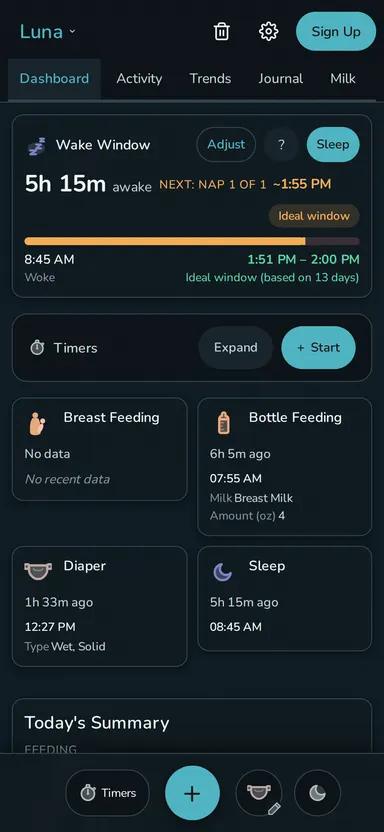
What Rhythm does
Feeds, sleep, diapers, and the rest of the day
Over 20 built-in event types cover feeds, pumping, sleep, diapers, medicine and more. Put the ones you use on the dashboard, hide the rest, and build your own when the defaults don't fit.
Sleep and wake predictions
Rhythm learns a separate wake window for each sleep of the day: the gap before each nap and before bedtime, from your baby's own recent days. Override anything that looks wrong. It all runs on your phone, so it works offline. See how Rhythm calculates wake-window estimates, or read what a wake window means by age.
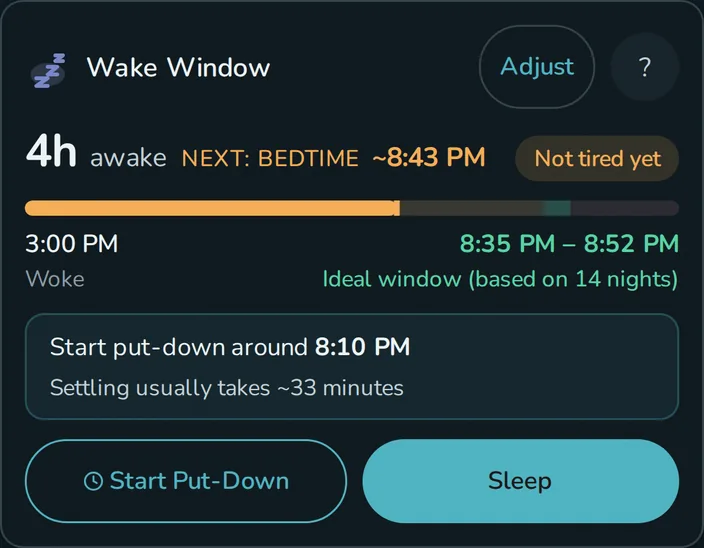
When to start the put-down
"Asleep by 7:15" isn't a put-down time if your baby takes 35 minutes to settle. Once Rhythm has 8 recent put-downs for that kind of sleep, it subtracts your usual settle time and shows "Start put-down around 6:40pm". If settling has been all over the place, the cue stays hidden rather than guessing.
Calm Mode
Calm Mode softens the timers, hides the warnings, and tucks the predictions away. Everything is still saved. And if one tile is the thing stressing you out, you can hide it for good in customization. More on Calm Mode →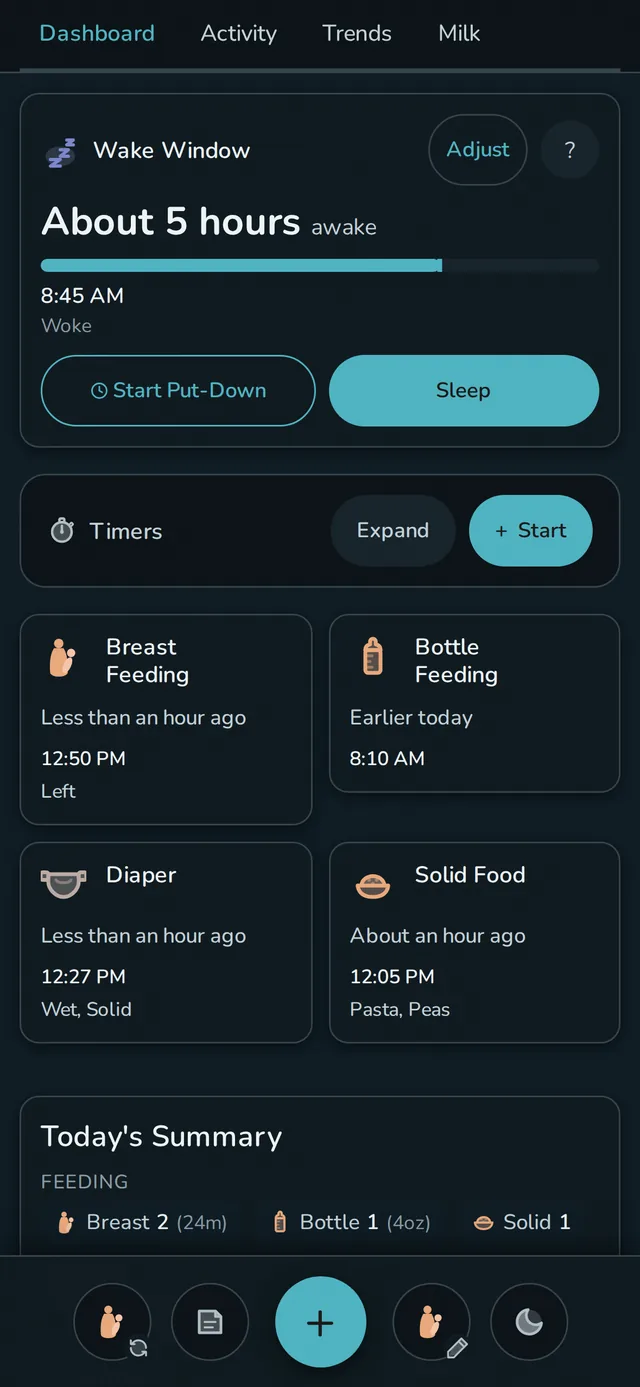
Household sync
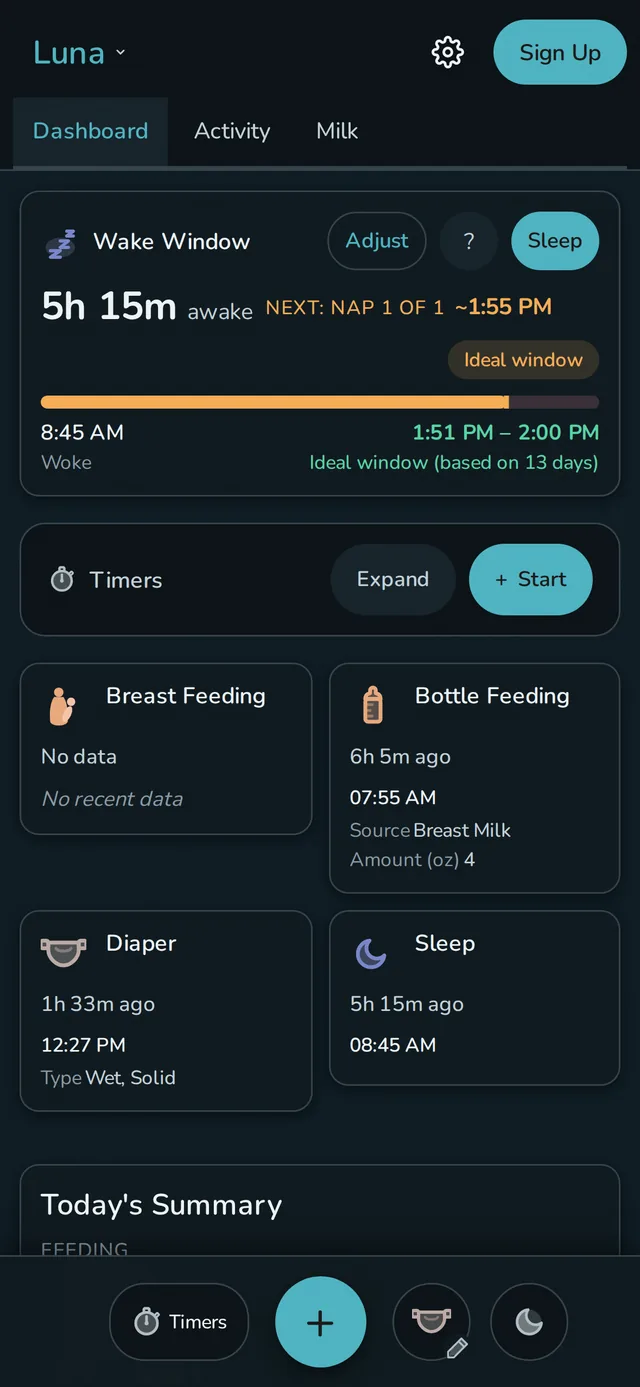
Your partner opens their phone and the last feed is already there: no "did you log it?" texts, no comparing notes at handoff. Invite them with a QR code and every device stays current, no matter whose phone logged it.
Midnight Mode
Midnight Mode turns the screen true black with red-shifted light, so you can log a dream feed without blinding yourself. Tap targets and text grow, and it can run on a schedule.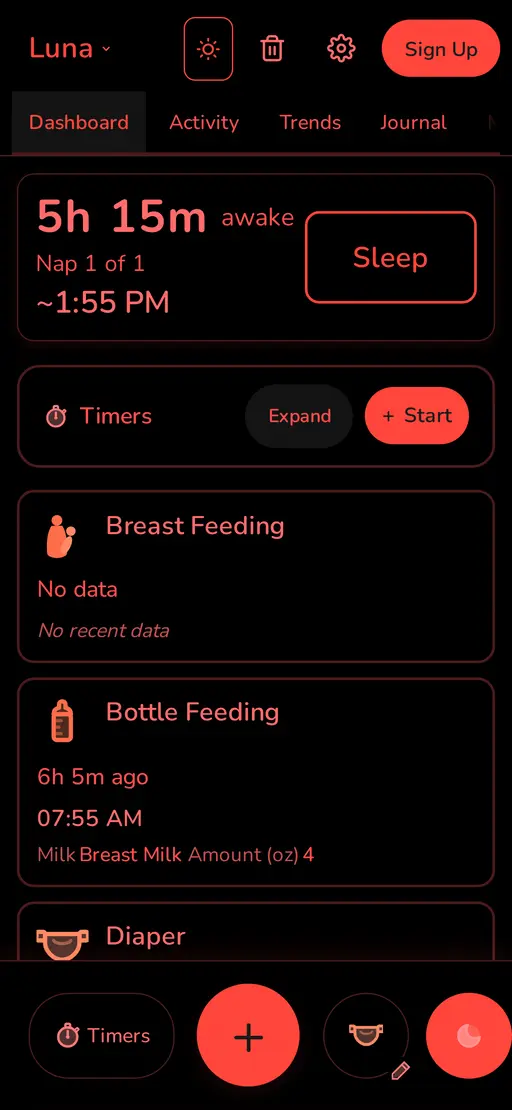
Imports other baby trackers
Coming from Huckleberry? See how Rhythm compares → See Rhythm, Huckleberry, and Nara compared side by side →There's more.
Milk Stash
Pumped bags tracked by location and expiration, with a days-of-supply estimate from what your baby actually eats. See the stash tracker →Custom everything
Build your own event types and status tiles, then rearrange the dashboard to match your family. Build your own →Eleven themes
Four primary, seven programmer palettes, or build your own - each with a light and dark variant. Browse the themes →Pricing
Free
$0 one device, forever
- The full app: predictions, custom events, themes, Calm Mode, Midnight Mode
- No ads, no tracking, no data selling
- Export your data anytime (CSV or JSON)
- Stays on the one device you set it up on
Household sync
$5/mo or $45/yr - per household, not per person
- Everything in Free, on every device
- Invite your partner, a grandparent, or a nanny by QR code - all one price
- Cloud backup, encrypted in transit, encrypted backups
- 14-day free trial, cancel anytime - your local data stays put
Questions
How much does Rhythm cost?
Free on one device, or $5/month ($45/year) for household sync and cloud backup - cancel anytime.
How does household sync work?
Add your partner or a grandparent to your household and their phone shows the same feed within seconds, with one price covering everyone and no per-seat fees. See how the shared household works.
Where is my baby's data stored?
On your device first; if you sync, a copy also lives on my servers so your other devices can read it. It's encrypted in transit and my offsite backups are encrypted, though the live database isn't encrypted at rest yet - see Privacy for the full breakdown.
Does Rhythm work offline?
Yes - everything you log saves to your phone first and syncs to your other devices once you're back online.
Do I need to install an app from the App Store?
No. Rhythm does not have an app in the App Store. Open app.rhythm.baby in any browser, then add it to your home screen (on iPhone tap Share, then "Add to Home Screen"; on Android use the page menu).
Can I export my data?
Anytime and free - CSV for the pediatrician or a spreadsheet, JSON for a full backup or to leave, because your data is yours.
I'm a security engineer, and a dad, who built Rhythm by the glow of the baby monitor for my own son. My wife and I used it for months before I felt good about handing it to anyone else. If something's broken or a feature doesn't make sense, email me: support@rhythm.baby.