Baby and toddler tracker
Keep the history. Change what you track.
A baby and toddler tracker is one app that follows a child from newborn feeds through preschool routines, instead of being replaced when the needs change. Rhythm lets you retire event types you no longer use and add new ones without losing the history behind them.
Newborns have different needs than toddlers. Rhythm handles them all - add potty, tooth brushing, reading, or build your own with as much depth and flexibility as you need.
Over 20 built-in events. Hide what you don't need, add what you do.
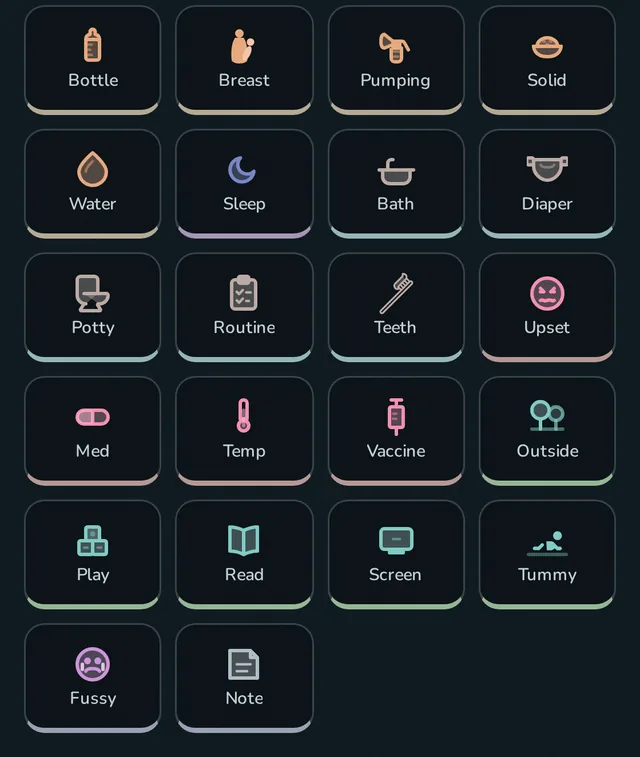
Babies grow up, Rhythm does too
Feeds, diapers, and short sleep cycles can dominate the first months. Later, the questions change. Did we brush teeth? How is potty practice going? Did we read today? Which routines still deserve space on the dashboard?
You can enable or disable event types, rearrange quick actions, configure status tiles, and choose which dashboard modules take up room. Disabling an event keeps all its earlier history.
The same tracker at three ages
Same household, same history, three dashboards. The sleep card stays at the top through all of it. What sits underneath changes as the routine does.
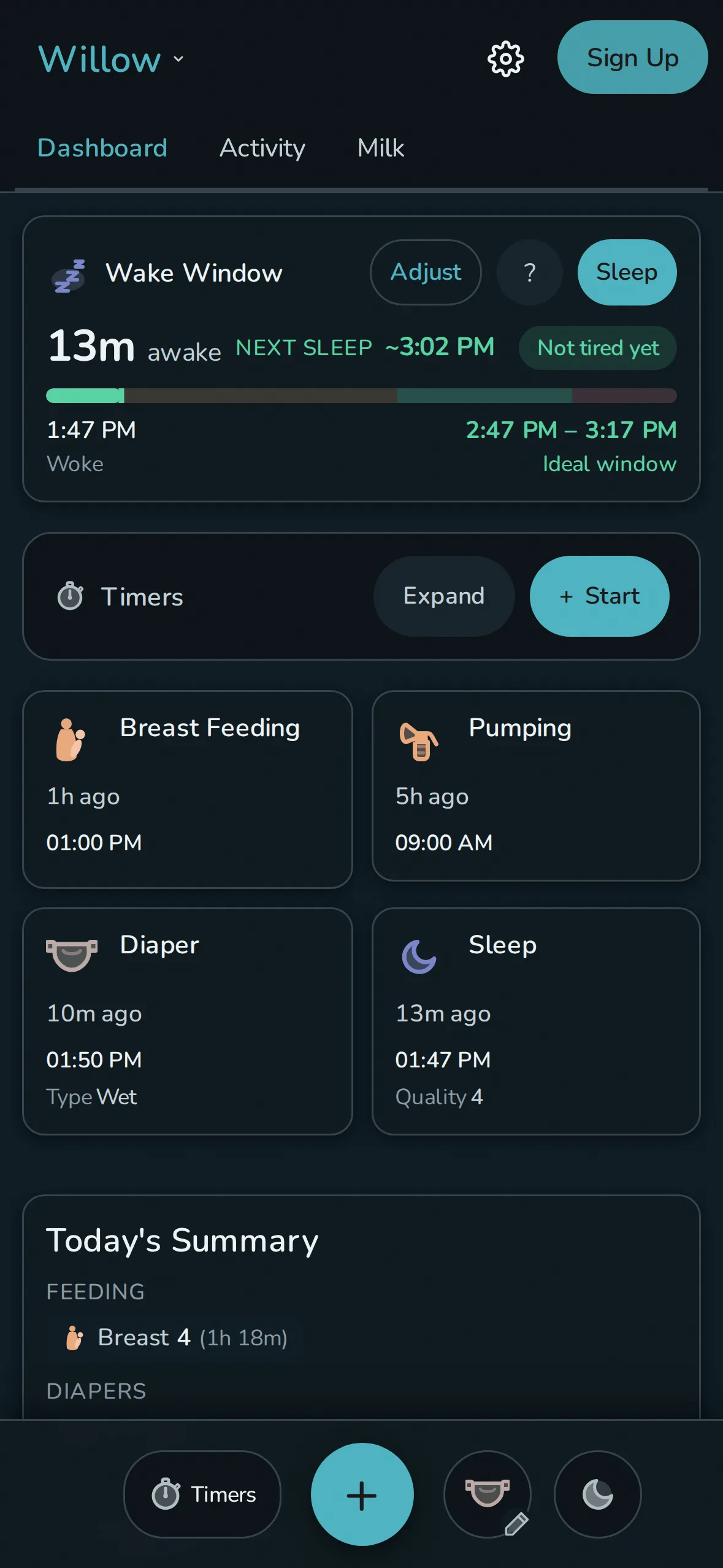
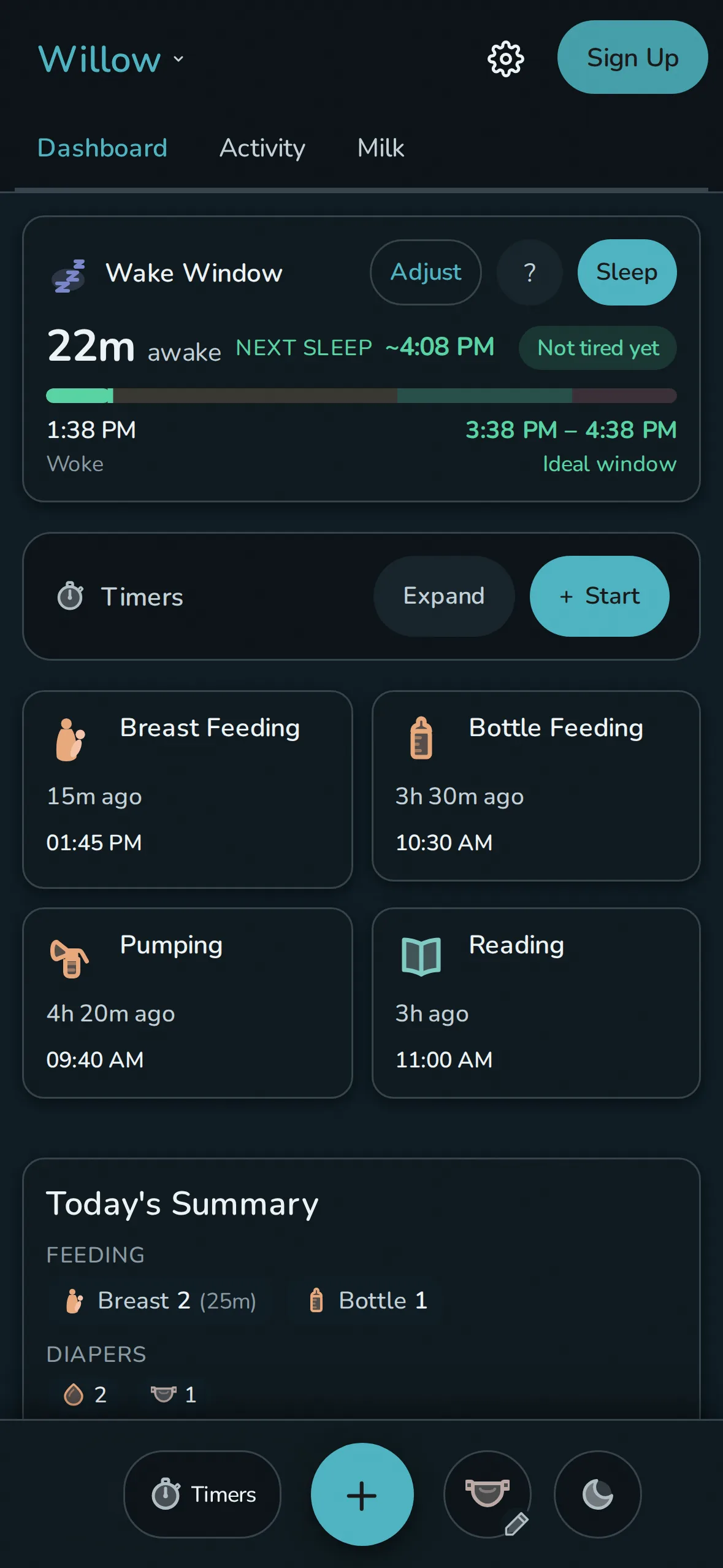
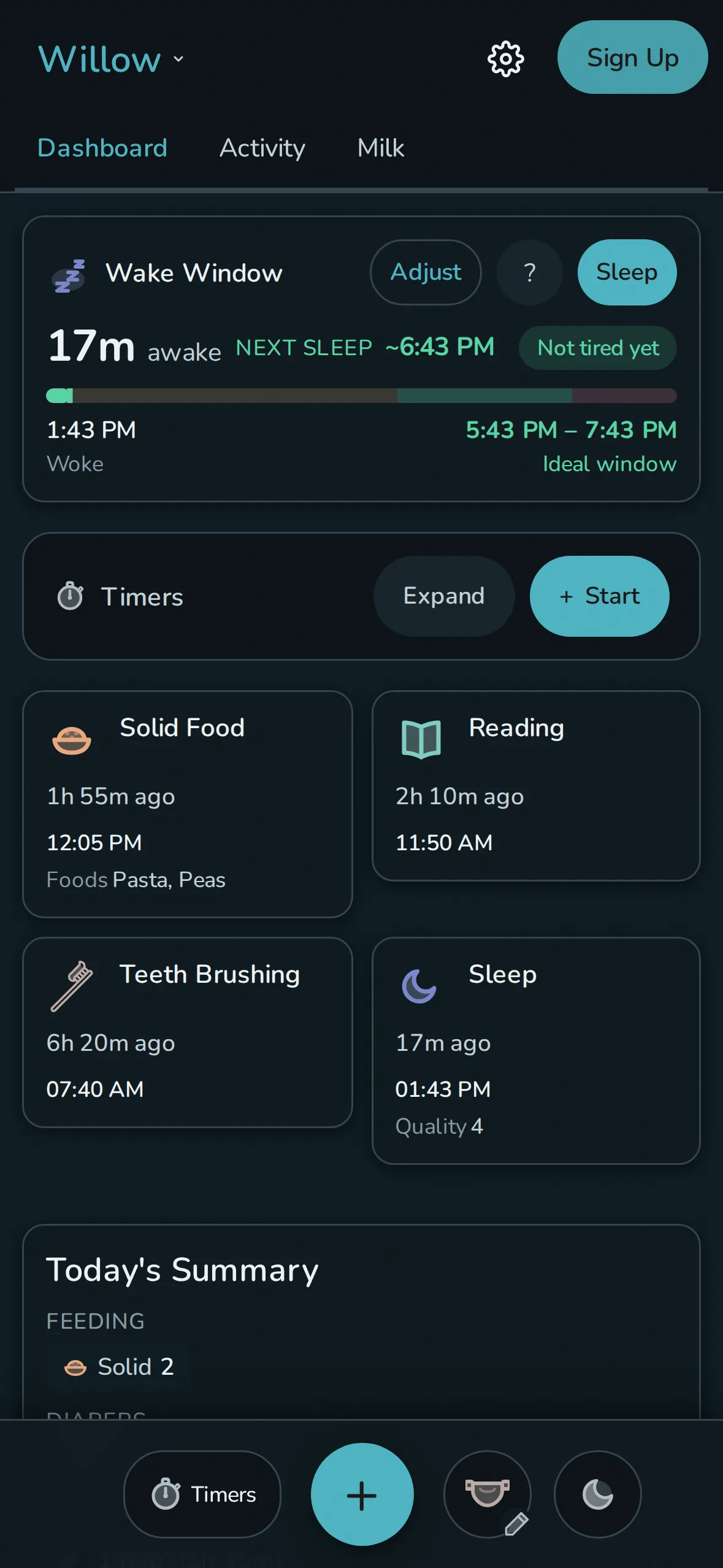
Turning an event off takes it out of the dashboard and quick actions. Every feed logged in the newborn months is still in the timeline and the export.
A toddler sleep tracker for the harder stretch
Toddler sleep does not behave like infant sleep. Naps drop from two to one somewhere between 15 and 18 months, bedtime drifts as that single nap moves later in the afternoon, and the wake window between waking up and falling asleep stretches to 4 to 6 hours past 18 months, against 3 to 4 hours for a 12 to 18 month old. Rhythm's wake window card keeps up with that change: it starts from an age default and moves to your toddler's own recent naps and bedtimes as soon as there is enough logged sleep to learn from.
Log a nap dropping or bedtime sliding later the same way you log everything else, and the prediction moves with it. There is no separate toddler mode to switch on.
Add what you need
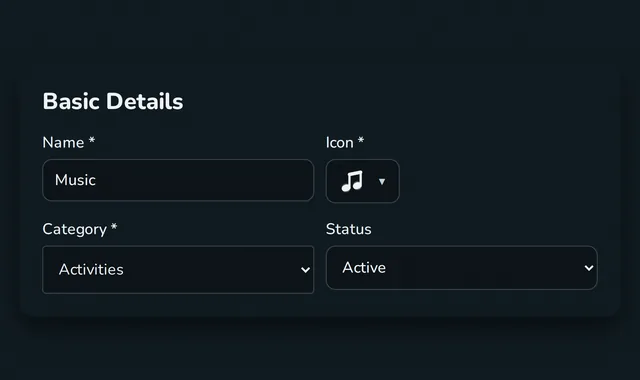
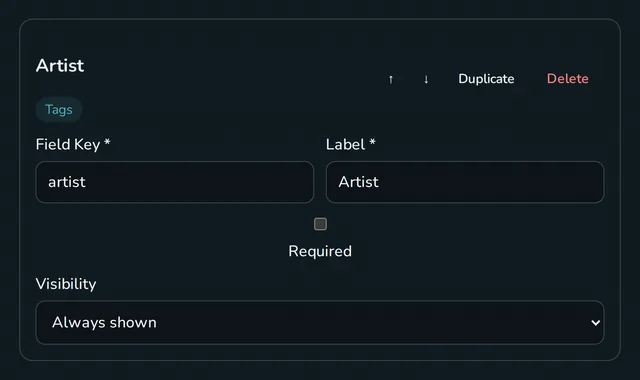
A custom event can be instant or timed. Add choices, an amount, a rating, tags, text, or a toggle, then put it in the category that makes sense to your family. A Music event, for example, can use an Artist tags field like the one Solid Food uses for foods.
The event builder is functional, but works best on desktop - polish is planned.
Override Rhythm's recommendations - you're the parent
When a calculated wake window stops fitting, set the range that does. Rhythm labels the source as an age default, your override, or a range from logged sleep. The parent can change it or ignore it.
Set status-tile warning and critical times so "overdue" matches what that means in your house, or disable all time-based notices with Calm Mode.
One record is easier to keep
The earlier entries remain in the timeline, rhythm view, and exports while the current dashboard changes. Rhythm works into toddlerhood and beyond, for as long as structured tracking is useful to your family.
Questions
Is Rhythm only for newborns?
No. Built-in events include solids, potty, tooth brushing, reading, outdoor time, and more. Keep using it while the record is useful.
Can I remove events I no longer use?
Yes. Disable the event and change the dashboard without deleting the entries already recorded under it.
Does Rhythm compare custom activities with sleep outcomes?
Yes. Rhythm looks for relationships like naps running longer after reading, and holds each one to a statistical bar before it shows you a card: a minimum effect size, a false-discovery correction across every relationship it tested, and a minimum number of days behind it. Your own events are treated the same as the built-in ones. Drawing your own multi-event charts is still on the roadmap.
Last updated: September 2026
Free on one device. No account required.